Vibe Kitmaker Design turns the sample folder you never finish sorting into drum kits that sound like you: polished, named, given cover art and loaded onto your MPC or sampler. It runs entirely on your computer.
From a messy folder to a finished kit, in four moves.
1
Scan your library once
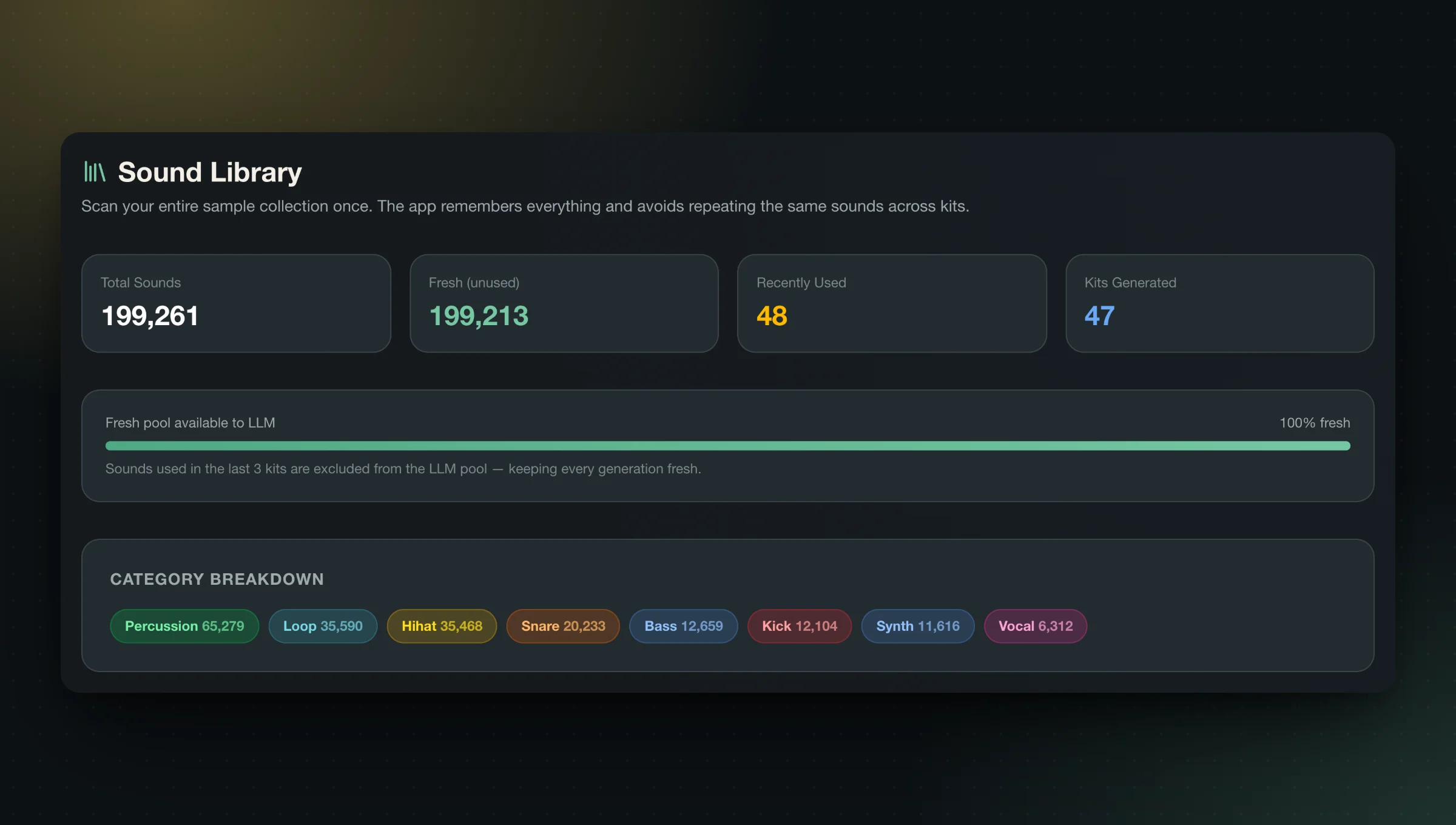
Point the app at your sample folders. It sorts every kick, snare, hat, 808 and loop by how it sounds, not what the file is called, and remembers what you have used so new kits don’t repeat the last ones.
Audio-based classification across your whole collection
AI Re-Catalog re-sorts an existing library
2
Pick a feel, build a kit
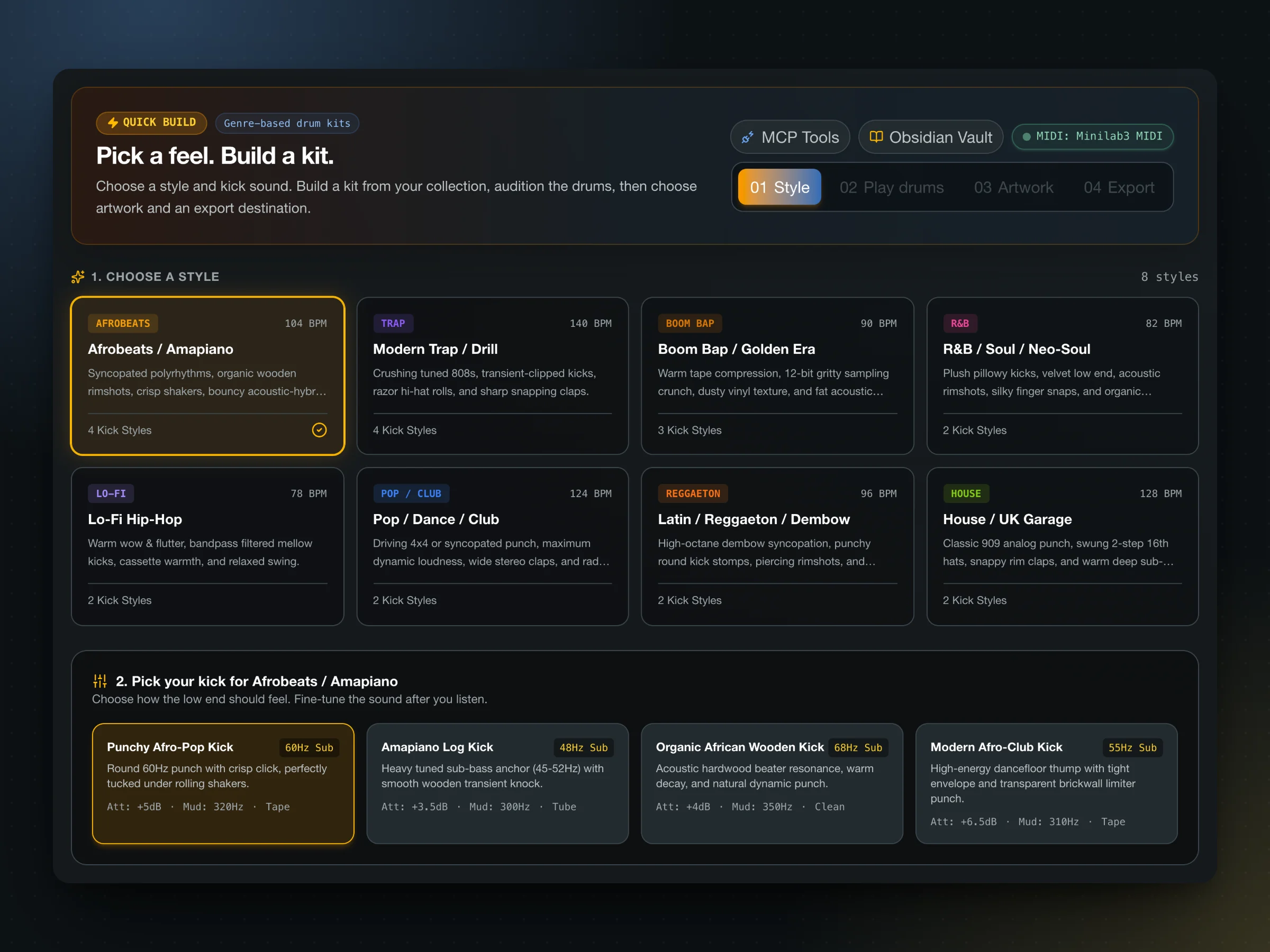
Choose one of eight genre starters and a kick foundation, then build a 16-pad kit or a 64-zone 4-quadrant kit. Every drum gets its own mix pass: kicks lose mud and gain attack, 808s stay mono below 120 Hz, snares gain snap, hats gain air.
Audition the pads from your keyboard or a MIDI controller
Kicks anchored at −10 dBFS peak for mix headroom
3
Name it, cover it, package it
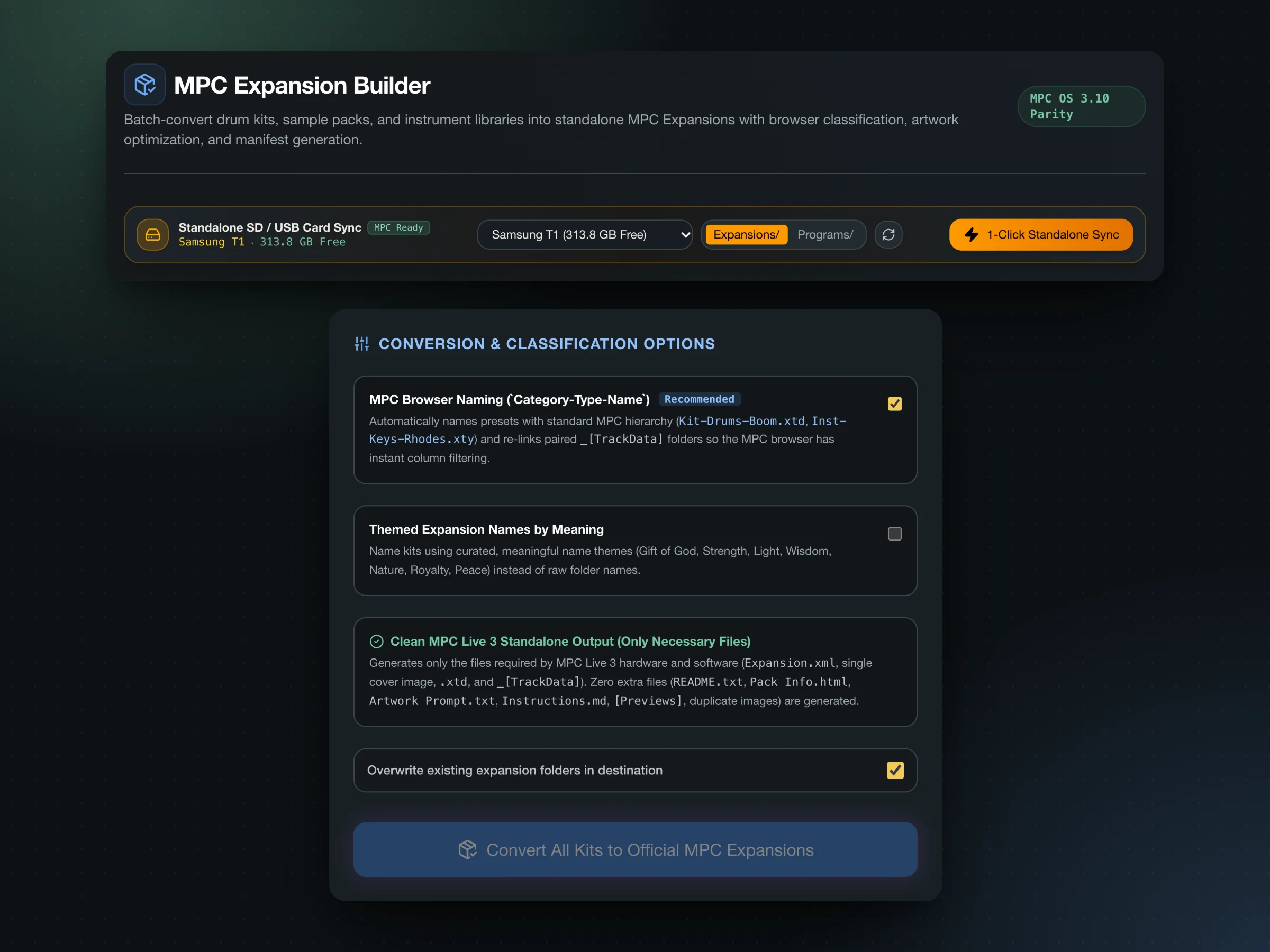
Kits are saved with MPC browser naming and a matching TrackData folder. Use your own photo with a crop chooser, a local Stable Diffusion or ComfyUI install, or the built-in procedural artwork. Batch-convert whole folders of kits in one go.
1000 × 1000 JPEG cover art
Expansion.xml, README, Pack Info and install instructions generated
4
Load it onto your MPC
Send the expansion to a connected SD card or USB drive, or install it into MPC 3 Desktop in one click. Choose the export destination in the kit builder or Package a collection.
Export to a chosen folder, SD card or USB drive
Back up your destination before transferring
Sample Enhancer
Make one sound hit harder, without a plug‑in chain.
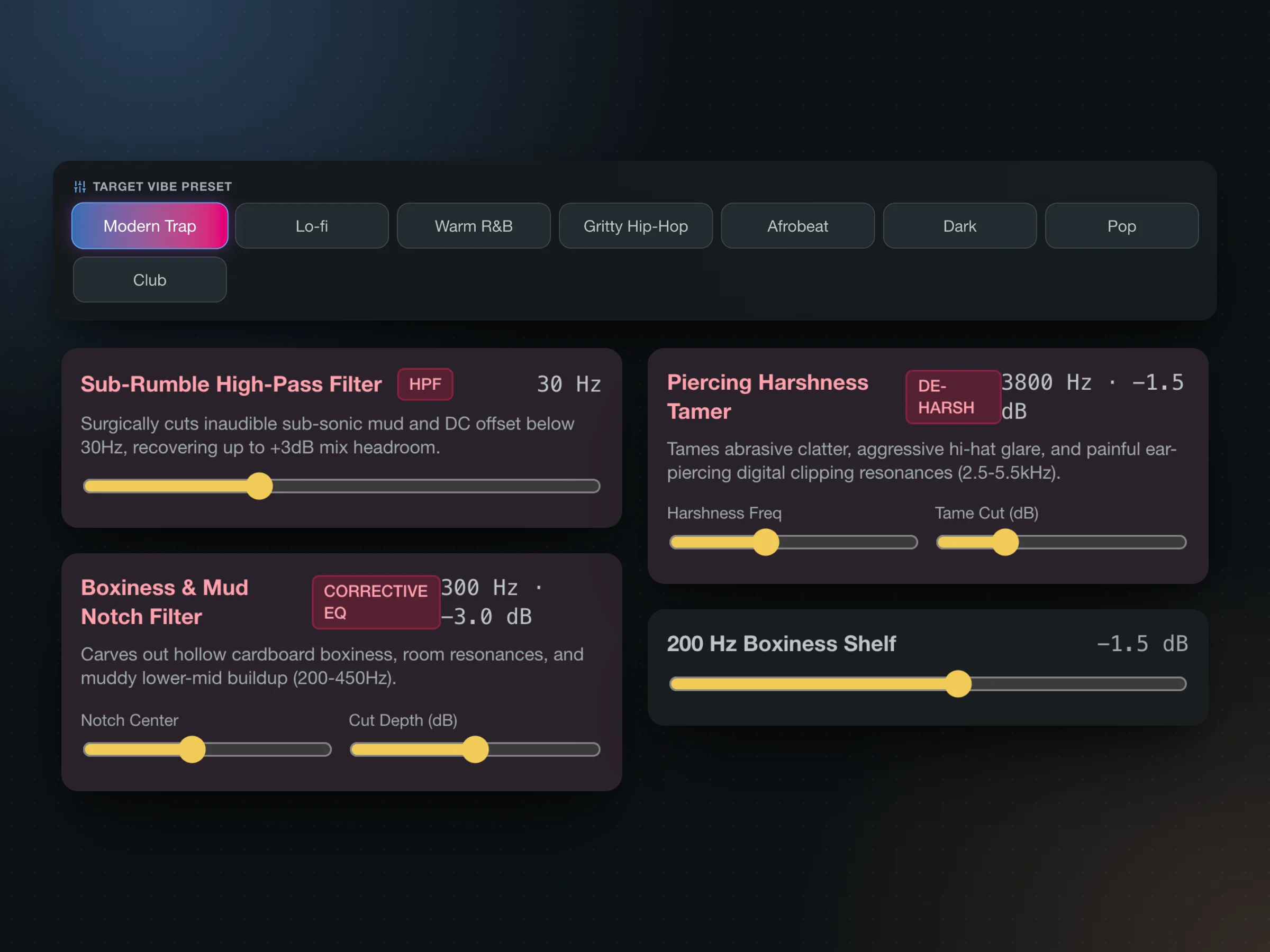
A dedicated workspace for fixing a single drum: notch out mud and resonance, shape the transient, add tape or tube saturation, then compare with loudness-matched A/B so louder never fools you into “better”. An eight-band analyzer shows what changed, and a token renamer cleans up file names on the way out.
Eight starting points
Modern Trap
Lo-fi
Warm R&B
Gritty Hip-Hop
Afrobeat
Dark
Pop
Club
Destinations
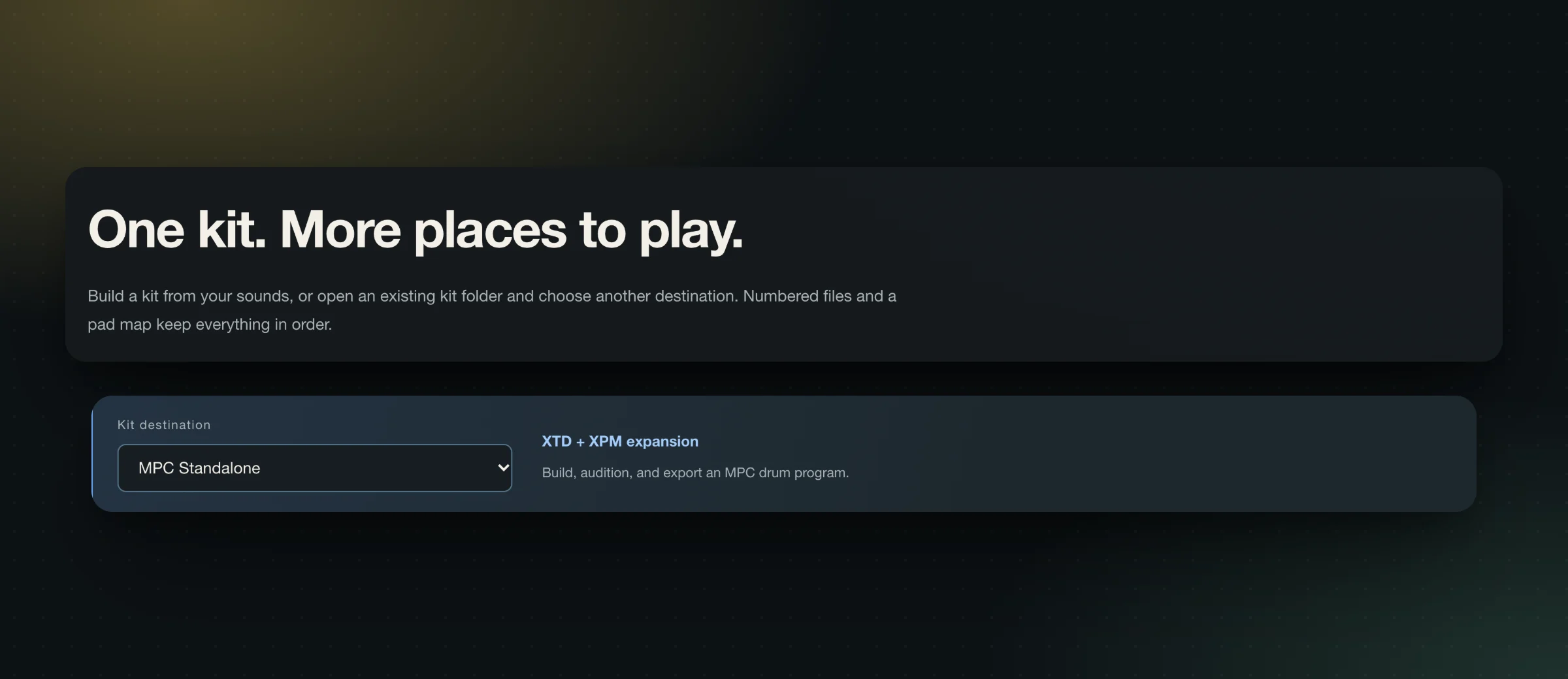
Built for MPC. Ready for fifteen more.
MPC gets a finished expansion. Everything else gets a clean sample-import package (numbered 44.1 kHz audio, kit.json, pad-map.csv and an IMPORT.txt with the exact steps) and you save the final kit where it lives.
Destination
You get
To finish the kit
Official guide
MPC Standalone & MPC 3 DesktopNative
XTD + XPM expansion
Loads as a finished drum program and expansion, including 4-quadrant and MPCe layouts.
Open it from Launchpad or Spotlight and accept the license agreement.
If macOS says the developer can't be verified, open System Settings → Privacy & Security and click Open Anyway. On older macOS, Control-click the app and choose Open.
Your samples never leave your computer. No account, no cloud upload, no telemetry. Optional AI artwork and naming use only tools you already run locally: Stable Diffusion WebUI, ComfyUI, LM Studio or Ollama.
Yes. Vibe Kitmaker Design is freeware: no payment, account or sign-up is needed to download or use it. Use is covered by the End User License Agreement, which the app asks you to accept on first launch. Read the agreement.
Do I need Python, Node or anything else installed?
No. The app is a single native program with its own audio engine and database. Install it and open it.
Does it need the internet?
No. Scanning, sorting, processing and exporting all run on your computer, and the app sends no telemetry. Optional AI cover art and naming can use tools you already run locally: Stable Diffusion WebUI, ComfyUI, LM Studio or Ollama.
Will it change or delete my original samples?
No. Originals are only read. Exports are staged and published to a fresh folder only when they succeed, and existing kits are never overwritten. Keep backups of your drives and cards anyway, as the license asks.
Which audio files can I use?
WAV (integer or float, mono or stereo, 8–192 kHz) and uncompressed 16-bit AIFF. Exports are 44.1 kHz, 16-bit. Convert other formats first.
Does it make native presets for gear other than MPC?
MPC gets finished XTD/XPM programs and expansions. The other 15 destinations get a sample-import package (numbered audio, a pad map and step-by-step instructions) and you save the final kit on the device or in the DAW.
Is there a version for Intel Macs?
Not yet. The macOS download is built for Apple Silicon (M1–M4).
Where does the app keep its data?
macOS: ~/Library/Application Support/mpc-kit-maker-ai/. Windows: %APPDATA%\mpc-kit-maker-ai\. Put a data folder next to the app for portable mode.
Is this an Akai product?
No. Standalone Syndicate is independent and not affiliated with, sponsored or endorsed by inMusic Brands or Akai Professional. MPC is named only to describe compatibility.
From the studio
Be first to try what we build next.
Standalone Syndicate is working on more apps. Join the list for beta invites and launch-day downloads. It's optional, and every download on this site stays free without it.